
What is an Activity Based Audience?
A Customer Based Audience is when you create an audience based on your known past customers.
By contrast, an Activity Based Audience includes any site visitors who view certain pages or take different actions on your eCommerce storefront.
Facebook and Shopify work together to fire certain events based on a user's website behavior. SyncTap makes it easy for you to target people based on those behaviors.
These activities include:
- View Content (When a visitor views a product page)
- Add to Cart (When a visitor adds a product to their cart)
- Initiate Checkout (When a visitor begins the checkout process based on what's already in their cart)
- Purchase (When a visitor successfully makes a purchase)
How to Create Your First Activity Based Audience in SyncTap
1. Choose either "All Products" or "Individual Products".
SyncTap allows you to target a visitor's behavior across your entire storefront (All Products), or to create audience based on activities within specific product pages.
Click the dropdown to select or remove individual products.
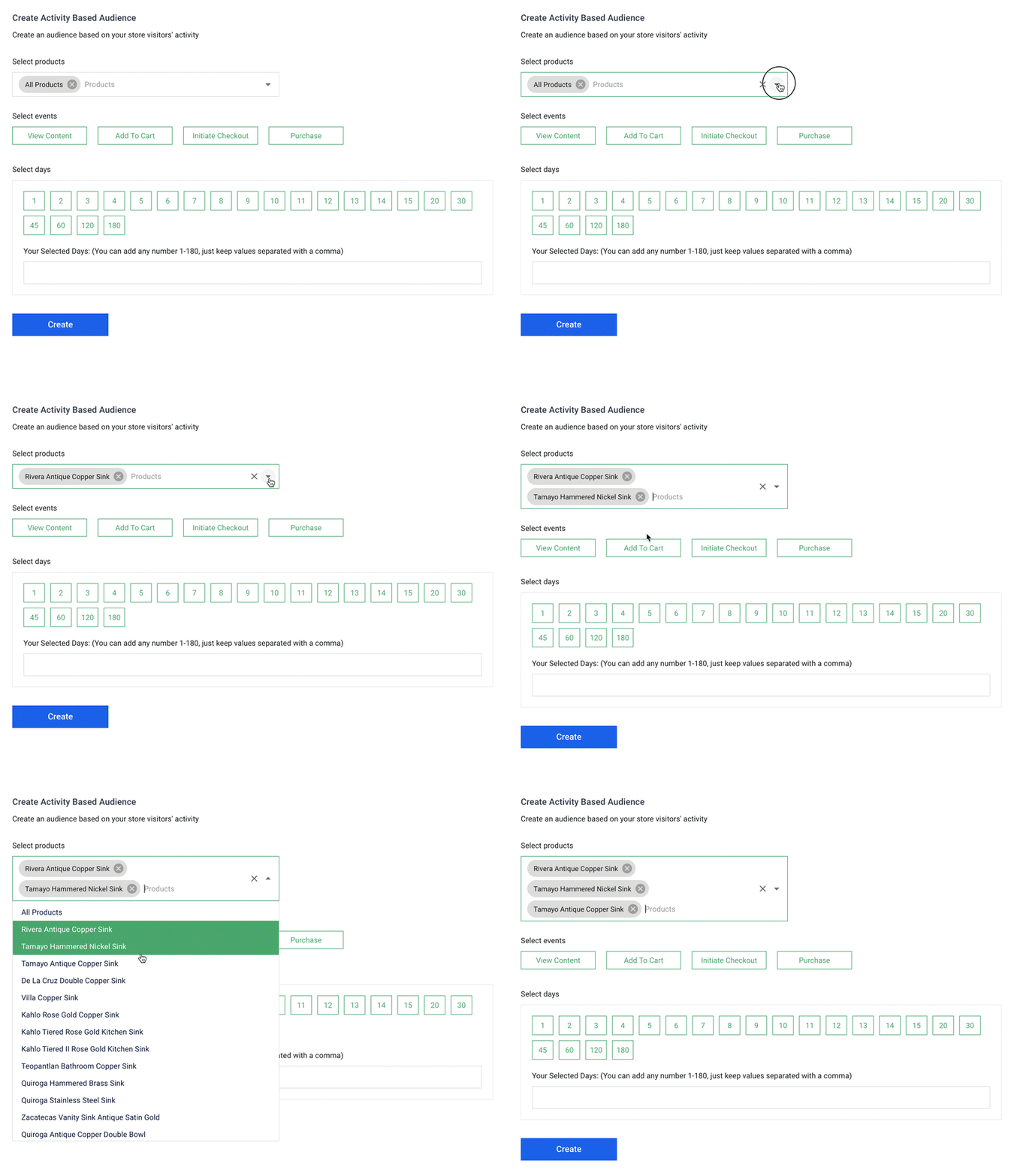
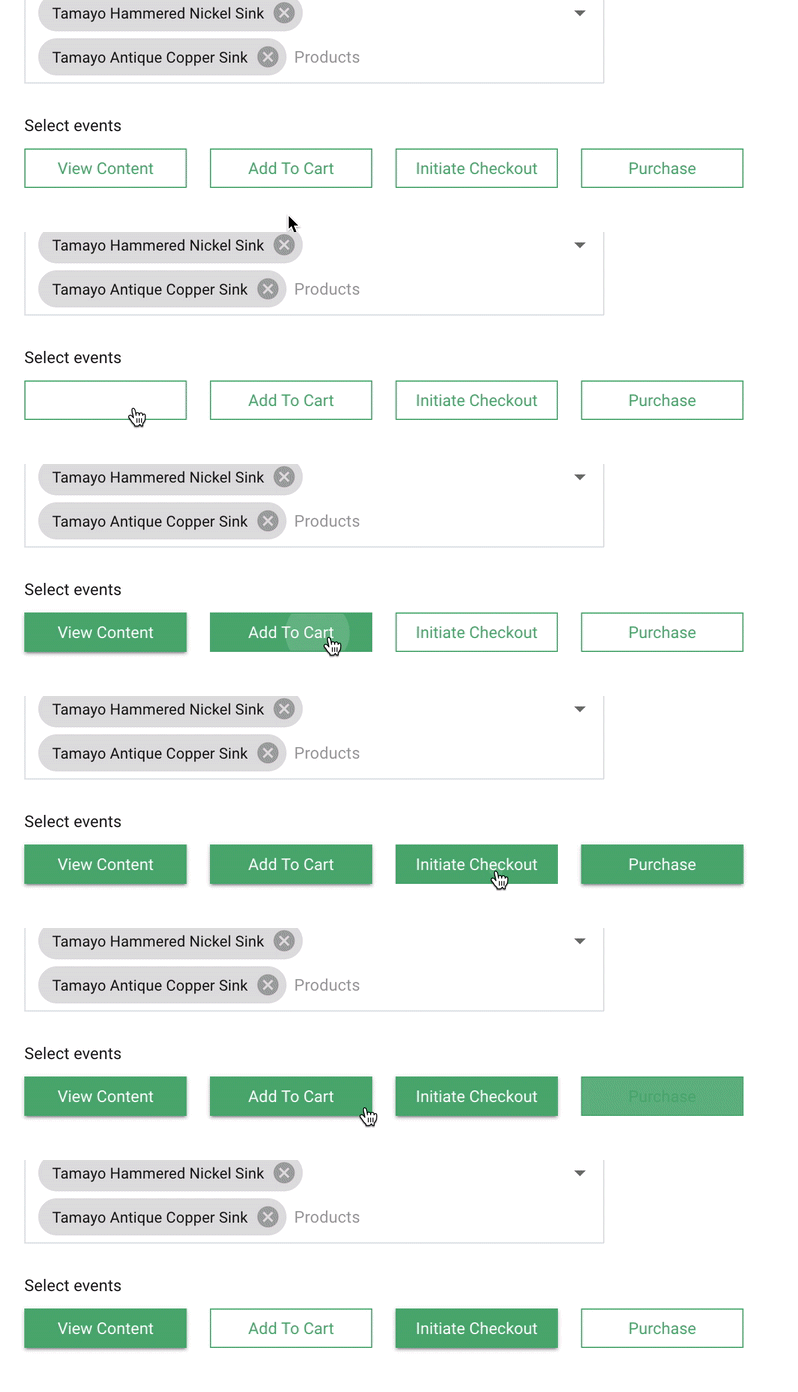
2. Choose the activities/events you want to use for segmentation.
You can choose one or more events to use in your Activity Based Audience segment.
Each one you choose will create another unique audience for each product that is selected.
To deselect one of the events, simply click the button a second time.
3. Choose the date ranges you'd like to target.
SyncTap allows you to choose multiple date ranges (up to 180 days).
For example, click "3" (days) if you'd like to target anyone who added a product to their cart within the last 3 days.
You can click the buttons for each day, or type them in the field below, separating them with commas.
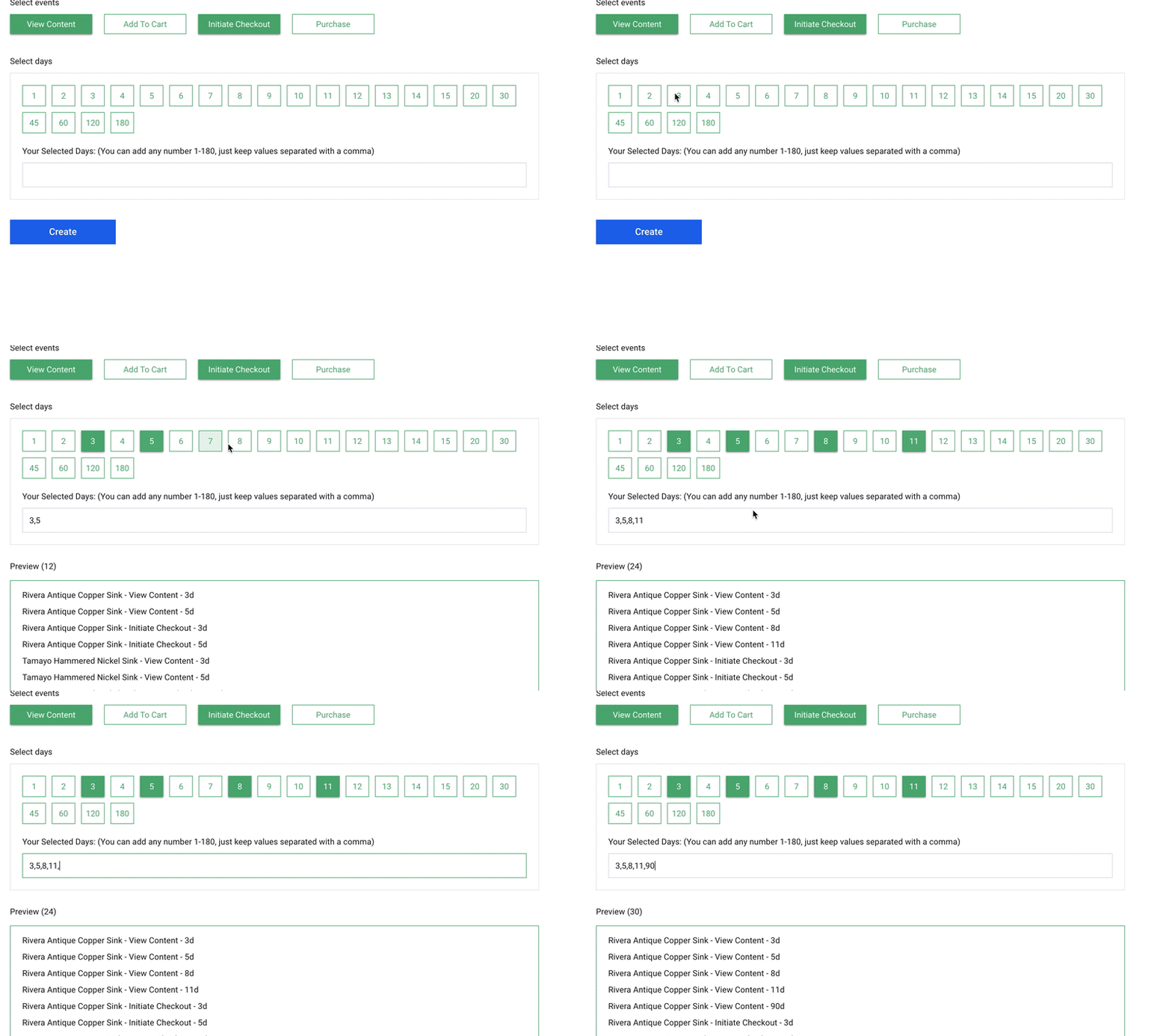
You'll notice a preview will appear of all the Activity Based Audiences that will be created based on the criteria you've selected.
4. Click "Create".
Once you've chosen all of the criteria for your Activity Based Audience(s), click the "create" button to finish and sync these audiences with your Facebook ad account.
Comments
0 comments
Please sign in to leave a comment.